
Every device on a network needs an address, and every network needs a size. Subnetting is the skill of dividing address space into correctly sized networks, and it looks harder than it is. Once you can read a prefix such as /24 or /26, work out the first and last address of a subnet, and decide whether two hosts are on the same network, most routing, firewall and VPN problems become easy to reason about. This tutorial builds the idea from the bits up, with worked examples you can repeat on paper, and shows how to check your answers with a few lines of Python.
What an IPv4 address really is
An IPv4 address is a 32-bit number. For people it is written as four decimal numbers (octets) separated by dots, each from 0 to 255, because each octet is 8 bits:
192      .168      .1        .10
11000000 .10101000 .00000001 .00001010
Part of the address identifies the network and the rest identifies the host inside that network. The subnet mask says where the split is. Wherever the mask has a 1, the bit belongs to the network. Wherever it has a 0, the bit belongs to the host.
Address      192.168.1.10   = 11000000.10101000.00000001.00001010
Mask         255.255.255.0  = 11111111.11111111.11111111.00000000
                              |------ network ------|  |- host -|
Instead of writing the long mask, we count the 1 bits and write that number after a slash. This is CIDR notation (Classless Inter-Domain Routing): 255.255.255.0 has 24 ones, so 192.168.1.10/24 means “this address, in a network where the first 24 bits are the network part”.
How many addresses does a prefix give you?
With a prefix of /n, there are 32 - n host bits, so the subnet holds 2(32 – n) addresses. Two of them are reserved:
- The network address (all host bits 0) names the subnet itself.
- The broadcast address (all host bits 1) reaches every host in the subnet.
So the number of usable host addresses is 2(32 – n) minus 2. Memorise this table, it covers nearly everything you meet:
| Prefix | Subnet mask | Total addresses | Usable hosts | Typical use |
|---|---|---|---|---|
/8 |
255.0.0.0 | 16,777,216 | 16,777,214 | A huge private block such as 10.0.0.0/8 |
/16 |
255.255.0.0 | 65,536 | 65,534 | A large site or a cloud virtual network |
/24 |
255.255.255.0 | 256 | 254 | The usual office or home LAN |
/25 |
255.255.255.128 | 128 | 126 | Half a /24 |
/26 |
255.255.255.192 | 64 | 62 | A quarter of a /24 |
/27 |
255.255.255.224 | 32 | 30 | A small department or server group |
/28 |
255.255.255.240 | 16 | 14 | A small DMZ |
/29 |
255.255.255.248 | 8 | 6 | A handful of servers |
/30 |
255.255.255.252 | 4 | 2 | A point-to-point link between two routers |
Two special cases: /31 (2 addresses) is allowed on point-to-point links with no network or broadcast address, and /32 is a single host, used in routes and firewall rules to mean “exactly this address”.
The quick method: block size
You do not need binary to subnet. Find the interesting octet, the one where the mask is neither 255 nor 0, and calculate the block size: 256 minus the mask value in that octet. Subnets start at multiples of the block size.
| Prefix | Interesting octet | Mask value | Block size |
|---|---|---|---|
/25 |
4th | 128 | 128 |
/26 |
4th | 192 | 64 |
/27 |
4th | 224 | 32 |
/28 |
4th | 240 | 16 |
/22 |
3rd | 252 | 4 |
/20 |
3rd | 240 | 16 |
Worked example 1: which subnet is this host in?
The host is 192.168.1.130/26. What are its network address, broadcast address and usable range?
- A /26 mask is
255.255.255.192, so the interesting octet is the fourth and the block size is 256 – 192 = 64. - The subnets in that octet start at 0, 64, 128 and 192.
- 130 falls between 128 and 191, so the network address is 192.168.1.128.
- The broadcast address is one below the next subnet: 192.168.1.191.
- Usable hosts run from the address after the network to the address before the broadcast: 192.168.1.129 to 192.168.1.190 (62 hosts).
Check it with Python’s built-in ipaddress module, available on every Linux, macOS and Windows machine that has Python 3:
$ python3 -c "
import ipaddress
n = ipaddress.ip_network('192.168.1.130/26', strict=False)
print(n, n.netmask, 'broadcast', n.broadcast_address, 'usable', n.num_addresses - 2)
print('first', n[1], 'last', n[-2])
"
192.168.1.128/26 255.255.255.192 broadcast 192.168.1.191 usable 62
first 192.168.1.129 last 192.168.1.190
Worked example 2: split a /24 into four subnets
You have 192.168.10.0/24 and want four separate networks, for example servers, staff, guests and phones. Four subnets need 2 extra network bits (22 = 4), so the prefix grows from /24 to /26, with 64 addresses each:
| Subnet | Network | Usable range | Broadcast |
|---|---|---|---|
| 1 | 192.168.10.0/26 | .1 to .62 | 192.168.10.63 |
| 2 | 192.168.10.64/26 | .65 to .126 | 192.168.10.127 |
| 3 | 192.168.10.128/26 | .129 to .190 | 192.168.10.191 |
| 4 | 192.168.10.192/26 | .193 to .254 | 192.168.10.255 |
$ python3 -c "
import ipaddress
print(list(ipaddress.ip_network('192.168.10.0/24').subnets(new_prefix=26)))
"
[IPv4Network('192.168.10.0/26'), IPv4Network('192.168.10.64/26'), IPv4Network('192.168.10.128/26'), IPv4Network('192.168.10.192/26')]
If the subnets need different sizes, this is VLSM (variable-length subnet masking). Start with the largest requirement, place it first at the beginning of the block, then fit smaller ones after it without overlapping.
Worked example 3: a bigger network
Subnetting also works on the third octet. For 10.0.5.77/20, the mask is 255.255.240.0, the interesting octet is the third and the block size is 256 – 240 = 16. The third-octet value 5 falls in the block starting at 0, so the network is 10.0.0.0/20, the broadcast address is 10.0.15.255 and there are 4,094 usable hosts:
10.0.5.77/20 -> 10.0.0.0/20 255.255.240.0 broadcast 10.0.15.255 usable 4094Do two hosts share a network?
This is the question behind most connection problems. A host compares the destination address with its own network. If the destination is inside the same subnet, it sends the packet directly. If not, it sends it to the default gateway (the router).
Host A:  192.168.1.50/24     network 192.168.1.0/24
To 192.168.1.80   -> same subnet: delivered directly
To 192.168.2.20   -> different subnet: sent to the default gateway
The default gateway must be an address inside your own subnet. If it is not, the host cannot reach it, and nothing leaves the network. See the commands for checking this in Linux networking commands.
Private, special and documentation ranges
| Range | Purpose |
|---|---|
10.0.0.0/8 |
Private (RFC 1918), not routed on the internet |
172.16.0.0/12 |
Private, covers 172.16.0.0 to 172.31.255.255 |
192.168.0.0/16 |
Private, the usual home router range |
127.0.0.0/8 |
Loopback, the machine itself (127.0.0.1) |
169.254.0.0/16 |
Link-local: a self-assigned address when DHCP fails |
100.64.0.0/10 |
Carrier-grade NAT, used by some internet providers |
192.0.2.0/24, 198.51.100.0/24, 203.0.113.0/24 |
Reserved for documentation and examples |
A 169.254.x.x address on a computer means it asked for an address through DHCP and never got an answer. The fault is the DHCP server, the cable or the VLAN, not the computer.
Private addresses reach the internet through NAT on your router, which swaps your private address for its public one. When you connect two sites by VPN, make sure their private ranges do not overlap. Two offices that both use 192.168.1.0/24 cannot easily route to each other.
IPv6 in one minute
IPv6 addresses are 128 bits, written as eight groups of hexadecimal digits, and one run of zero groups may be shortened to :::
2001:0db8:abcd:0012:0000:0000:0000:0001
2001:db8:abcd:12::1          (the same address, shortened)
The standard size for a LAN subnet is a /64: the first 64 bits are the network and the last 64 identify the host. A /64 holds 18,446,744,073,709,551,616 addresses, so you never count hosts in IPv6, you plan how many /64 networks you need. fe80::/10 is link-local (always present on an interface) and 2001:db8::/32 is the documentation range.
Planning a network: practical rules
- Size for growth. Choose a subnet that holds at least double what you need today. Renumbering later is painful.
- Keep one purpose per subnet. Servers, staff, guests and IoT devices each get their own subnet or VLAN, so the firewall can treat them differently.
- Write it down. A simple table of subnet, purpose, gateway and DHCP range prevents overlaps.
- Reserve the first and last usable addresses by habit: the gateway at
.1(or.254), and static servers at one end, DHCP at the other. - Use private ranges that are less common if you expect VPNs, such as
10.42.0.0/16instead of192.168.1.0/24.
Common mistakes
| Mistake | What happens | Fix |
|---|---|---|
| Wrong mask on one host (/16 instead of /24) | It thinks far-away hosts are local and sends them ARP requests instead of using the gateway | Compare the mask and prefix on every host and on the router |
| Gateway outside the subnet | No traffic leaves the network | Put the gateway inside the host’s own subnet |
| Assigning the network or broadcast address to a host | Odd, intermittent failures | Stay inside the usable range |
| Overlapping subnets | Routing picks the wrong path | Keep a subnet table, check with ipaddress or a calculator |
| Forgetting the 2 reserved addresses | A /29 “for 8 servers” only holds 6 | Count usable hosts, not total addresses |
To check an address on a Linux machine, run ip -br address, which shows each address with its prefix. Port numbers are the next piece of the puzzle: see TCP, UDP and ports explained.
Frequently asked questions
What does /24 mean?
The first 24 bits of the address identify the network and the remaining 8 bits identify hosts. It is the same as the subnet mask 255.255.255.0 and gives 254 usable host addresses.
Why are two addresses unusable in every subnet?
The lowest address names the network itself and the highest is the broadcast address used to reach all hosts. Neither can be given to a single device.
How do I calculate the number of hosts quickly?
Take 32 minus the prefix, raise 2 to that power and subtract 2. For /27: 32 – 27 = 5, 25 = 32, minus 2 gives 30 usable hosts.
What is the difference between a subnet mask and a default gateway?
The mask defines which addresses are on the local network. The default gateway is the router’s address that the host uses for everything outside that network.
Do I need to learn binary to subnet?
Not in daily work. The block-size method gives the answer with simple arithmetic, and a tool such as Python’s ipaddress module confirms it. Binary helps you understand why it works.
More tutorials like this

Why Is My Website Slow? Measure DNS, TLS and Server Time with curl
Use curl to split a web request into DNS, connection, TLS, server and download time, read the numbers correctly and fix the slow part.
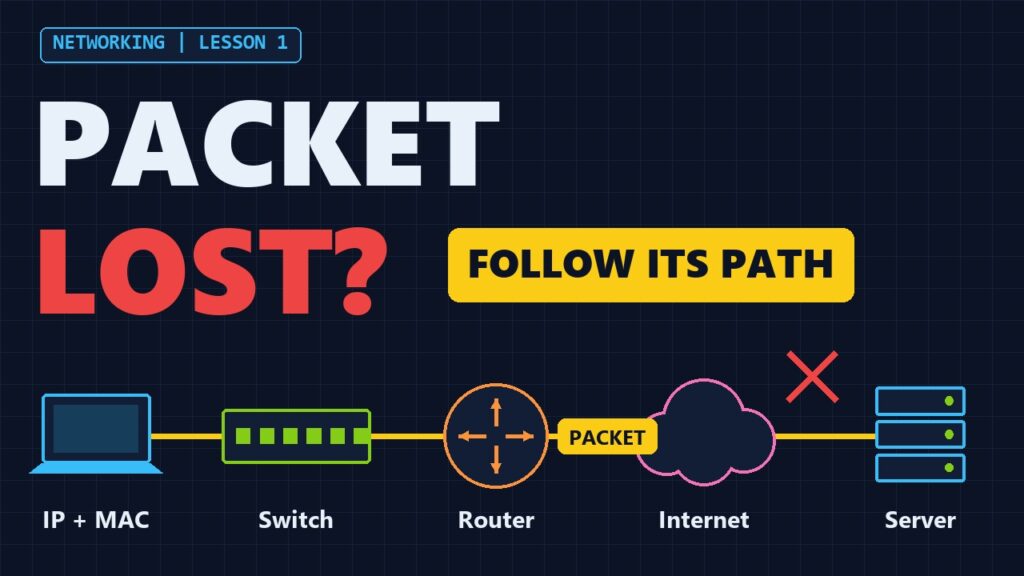
How a Network Works: IP and MAC Addresses, Switches, Routers and the Path of a Packet
Learn how a network really works: IP and MAC addresses, how a switch and ARP deliver frames in the LAN, how the router and…

tcpdump Tutorial: Capture and Read Network Traffic on Linux
Capture and read network traffic with tcpdump: key options, filters, a real TCP handshake explained line by line, and pcap files for Wireshark.
