
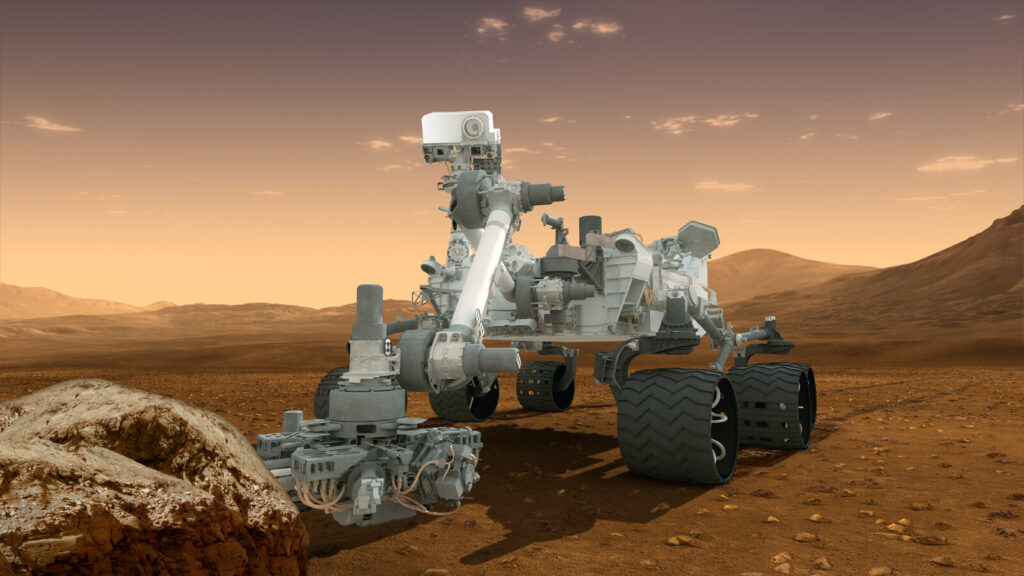
When people hear “robot” they often picture a walking, talking humanoid from the movies. Real robots are usually much less glamorous and far more useful: an arm that welds car bodies, a cart that carries shelves around a warehouse, a vacuum that maps your living room. What they all have in common is a simple idea. A robot is a machine that senses its surroundings, decides what to do, and acts on the world, over and over, many times per second. This guide explains the parts that make that loop work, the software that ties them together, what artificial intelligence adds, and why robotics is harder than it looks.
The loop at the heart of every robot
Almost every robot, from a toy to a factory arm, runs the same cycle:
- Sense: sensors measure something about the robot or its surroundings (a distance, an angle, an image).
- Think: a controller (a small computer) compares what it senses with what it wants and works out the next move.
- Act: actuators (motors and similar parts) carry out the move.
Then the loop starts again. A well-built robot repeats it dozens or hundreds of times every second, which is how it keeps its balance, follows a line, or stops before it hits a wall. That constant correction using fresh measurements is called a feedback loop, and it is the single most important idea in robotics.
Sensors: how a robot perceives
A robot knows only what its sensors tell it. The common ones fall into two groups: sensors that look at the robot itself, and sensors that look outward.
| Sensor | What it measures | Typical use |
|---|---|---|
| Encoder | How far a motor or wheel has turned | Knowing an arm’s joint angle, or how far a wheel has rolled |
| IMU (accelerometer and gyroscope) | Acceleration and rotation | Balance, tilt and turning, in drones, phones and walking robots |
| Camera | Images of the surroundings | Recognising objects, reading signs, following lanes |
| Ultrasonic and infrared range finders | Distance, using sound or light | Cheap obstacle detection in small robots |
| Lidar | Distance in many directions, using laser pulses | Building a map of a room or road |
| Force and torque sensors | How hard something pushes or twists | Gentle gripping, safe contact with people |
| Touch and limit switches | Contact or the end of a movement | Bumper sensors, homing an axis |
No single sensor is perfect. Cameras struggle in the dark, ultrasonic sensors get confused by soft surfaces, and every sensor has noise. Good robots combine several, a technique called sensor fusion, so that the strengths of one cover the weaknesses of another. A phone’s orientation, for example, comes from fusing a gyroscope (fast but drifting) with an accelerometer and a compass (slower but stable).
Actuators: how a robot moves
Actuators turn electrical commands into motion:
- DC motors spin freely and are used for wheels and fans. Add gears and they trade speed for strength.
- Servo motors combine a motor, a position sensor and a small controller so they can be told “go to 90 degrees” and hold it. Hobby robots use them for joints. Industrial arms use more powerful versions.
- Stepper motors move in small fixed steps, which makes them good for precise, repeatable positioning, as in 3D printers.
- Hydraulic and pneumatic actuators use pressurised fluid or air. They deliver large forces, so they appear in heavy machinery and some legged robots.
- Grippers and end effectors are the “hands” at the end of an arm: two-finger grippers, suction cups, welding torches or screwdrivers.
Most of the mechanical difficulty in robotics lives here. A motor strong enough to lift a load is heavy, which needs a stronger motor to move it, which needs a bigger battery. Designers spend much of their time balancing strength, weight, speed and energy.
The controller: the brain
The controller runs the sense-think-act loop. Different robots use different kinds:
| Controller | What it is | Where you find it |
|---|---|---|
| Microcontroller | A tiny, cheap chip that runs one program and reacts quickly and predictably | Hobby robots, drones, appliances |
| Single-board computer | A small full computer running an operating system, such as a Raspberry Pi | Robots that need vision, networking or more complex software |
| PLC (programmable logic controller) | A rugged industrial controller designed to run for years without a restart | Factory automation |
| Dedicated robot controller | A cabinet combining motion control, safety systems and a programming interface | Industrial robot arms |
Many robots use two levels together: a fast, simple microcontroller handles motors and sensors in real time, while a more powerful computer on the same robot handles perception and planning at a calmer pace.
Feedback control in plain words
Imagine a robot that must hold a motor at exactly 100 turns per minute. It measures the real speed, subtracts it from the target, and adjusts the power based on the difference. The most common recipe is called PID control:
- P (proportional): push harder the further you are from the target.
- I (integral): add up small errors over time, so a persistent small gap eventually gets corrected.
- D (derivative): watch how fast the error is changing, so you ease off before overshooting.
It is how a cruise control holds your speed and how a drone holds still in a breeze.
The software layer
Robot software usually has three jobs that build on each other:
- Perception: turn raw sensor data into meaning (“there is a person two metres ahead”, “this is a wall”).
- Planning: choose a path or a sequence of actions to reach a goal without collisions.
- Control: turn the plan into precise motor commands, with feedback.
A mobile robot that moves around needs to know where it is. A common approach is SLAM (simultaneous localisation and mapping): the robot builds a map while working out its own position on it. Robot vacuums that learn the layout of your home do a version of this.
Many research and commercial robots are built on ROS (the Robot Operating System), a free, open-source collection of tools and libraries. Despite the name it is not an operating system on its own. It is a framework that lets separate programs (a camera driver, a planner, a motor controller) exchange messages, so teams can reuse each other’s work instead of rewriting it.
What artificial intelligence adds
Traditional robots follow exact programs: move to point A, close the gripper, move to point B. This works wonderfully in a factory where every part arrives in the same place. Machine learning extends robots to messier situations:
- Vision: recognising objects in different lighting and positions.
- Grasping: learning how to pick up items of varied shape, as in warehouse sorting.
- Speech and instructions: understanding simple spoken commands.
- Navigation: predicting how people and vehicles move.
AI does not remove the physical problems, though. A model can recognise a cup, but the robot still needs the right grip strength, a steady arm and a way to recover when the cup slips.
The kinds of robots you meet
- Industrial arms: fixed to the floor, fast and precise, doing welding, painting, assembly and packing. They have long been the backbone of manufacturing.
- Mobile robots in warehouses: carts and shuttles that move goods, following markers or building a map as they go.
- Collaborative robots (cobots): arms designed to work next to people. They limit their force and stop on contact, which is governed by safety standards such as ISO 10218 and ISO/TS 15066.
- Service and home robots: vacuums, lawn mowers, window cleaners, delivery robots.
- Medical robots: mostly systems that assist surgeons by steadying and scaling their hand movements, with the human in control.
- Drones: flying robots that sense, decide and act, using the same loop.
- Humanoids: robots shaped like people so they can work in spaces built for people. They are an active area of development, and still far from the all-purpose helper of fiction.
Why robotics is hard
- The real world is messy. Lighting changes, objects differ, floors are uneven, and people behave unpredictably. A robot that works perfectly in a lab can fail in a kitchen.
- Dexterity. The human hand has an extraordinary combination of sensing, strength and fine control. Matching it in a machine is still very difficult.
- Energy. Batteries limit how long and how powerfully a robot can work, especially if it must carry its own power.
- Safety. A robot that is strong enough to be useful is strong enough to hurt someone. Safe design, with force limits, emergency stops and careful testing, is as important as the clever parts.
- Cost and reliability. Moving parts wear out. Keeping robots working for years, at a price that makes sense, matters as much as demos.
Try it yourself
You do not need a lab to start. A typical path:
- Start with a microcontroller kit. Boards in the Arduino style, plus a few motors, a distance sensor and a battery pack, let you build a robot that drives around and avoids walls.
- Learn the feedback idea first by making it follow a line, or hold a servo at an angle. Seeing a control loop work teaches more than any diagram.
- Move to a single-board computer when you want a camera and vision. Free libraries make it possible to detect colours, faces or lines.
- Try a simulator if you have no hardware. Free robot simulators let you test a robot’s software on screen.
- Be careful with batteries and motors: use proper chargers, never short a battery, and keep fingers away from moving parts.
Common questions
Is a robot the same as artificial intelligence?
No. A robot is a physical machine. AI is software that can make it smarter, but many robots have no AI at all. They simply follow programs and feedback rules.
Will robots take all jobs?
Robots are good at repetitive, well-defined physical tasks, and they change how work is done, but they remain limited in unstructured settings and in tasks needing judgement or fine dexterity. Their effect varies a lot by industry, and it is a topic where careful sources matter more than headlines.
What is the difference between a robot and an automatic machine?
The line is blurry. A washing machine follows a fixed program. A robot typically senses its environment and adapts its actions to it. The more sensing and adapting, the more “robotic” it is.
Key takeaways
- Every robot runs a loop: sense, think, act, repeated many times a second.
- Sensors give the robot its picture of the world, and combining several makes it more reliable.
- Actuators create motion, and the controller closes the loop with feedback (often PID).
- Software handles perception, planning and control, and frameworks such as ROS save teams from rebuilding the basics.
- AI helps with vision and grasping, but the physical challenges remain.
- The best way to understand robots is to build a small one.
More tutorials like this
Smart Home Devices Explained: Wi-Fi, Zigbee, Thread, Matter and Your Privacy
How smart home devices connect, what Wi-Fi, Zigbee, Thread and Matter mean, why local control matters, and how to keep your smart home secure…
How a CPU Works: Cores, Threads, Cache and Why Clock Speed Isn’t Everything
What a CPU really does, what GHz, cores, threads and cache mean, how performance and efficiency cores differ, and how to read the specs…

How AI Chatbots Work: Large Language Models Explained Without the Hype
How the large language models behind AI chatbots predict text token by token, how they are trained, why they sometimes make things up, and…

